
The Home Office Tools That Actually Earn Their Desk Space (A Mompreneur’s Short List)
Most home office lists assume you have a quiet room, a closing door and six uninterrupted hours. You have forty minutes, a laptop on a kitchen table and a small person who can sense when you’ve just started a call.
So this list is short and sorted by the problem each tool solves: focus, interruptions, clutter and wasted minutes. It also covers what to skip. If you’re hunting for home office essentials for moms who work from home, think of this as the version that respects your budget and your sanity.
Before You Buy Anything: The Desk Is Not the Problem
A pretty desk setup won’t give you more time. Your work happens in pockets: nap time, school hours, the stretch after bedtime. Everything you buy should do one of two jobs. It should shorten the time between sitting down and actually working, or it should protect the pocket once you’re in it.
Ask this before every purchase: will this get me working faster, or keep me working longer? If the answer is “it’ll look cute in photos,” put it back. Cute is fine. Cute is not a tool.
One more check. Plenty of “productivity problems” are really setup problems. If you spend the first ten minutes of every session hunting for a charger, finding your login or remembering what you were doing yesterday, that’s where the money and the fixes should go. Ten minutes lost out of a forty-minute pocket is a quarter of your work time, gone before you started.
Tools That Buy Back Your Focus
Focus is the thing you have least of, so it gets the first spend.
Headphones. Over-ear headphones with noise cancelling are the classic pick, and for good reason. They cut down household noise so your brain stops tracking every thump from the next room. They also work as a signal. Older kids learn quickly that headphones on means “Mom is in work mode.” Any decent pair that fits comfortably for an hour or two will do the job. You don’t need the most expensive model on the shelf.
A visual timer. This one does double duty. A timer you can see, whether a simple sand-style one or a countdown that shows time shrinking, lets you work in short sprints. It also gives kids something concrete to look at. “When the timer is done, I’m all yours” lands better than “in a few minutes,” which means nothing to a five-year-old.
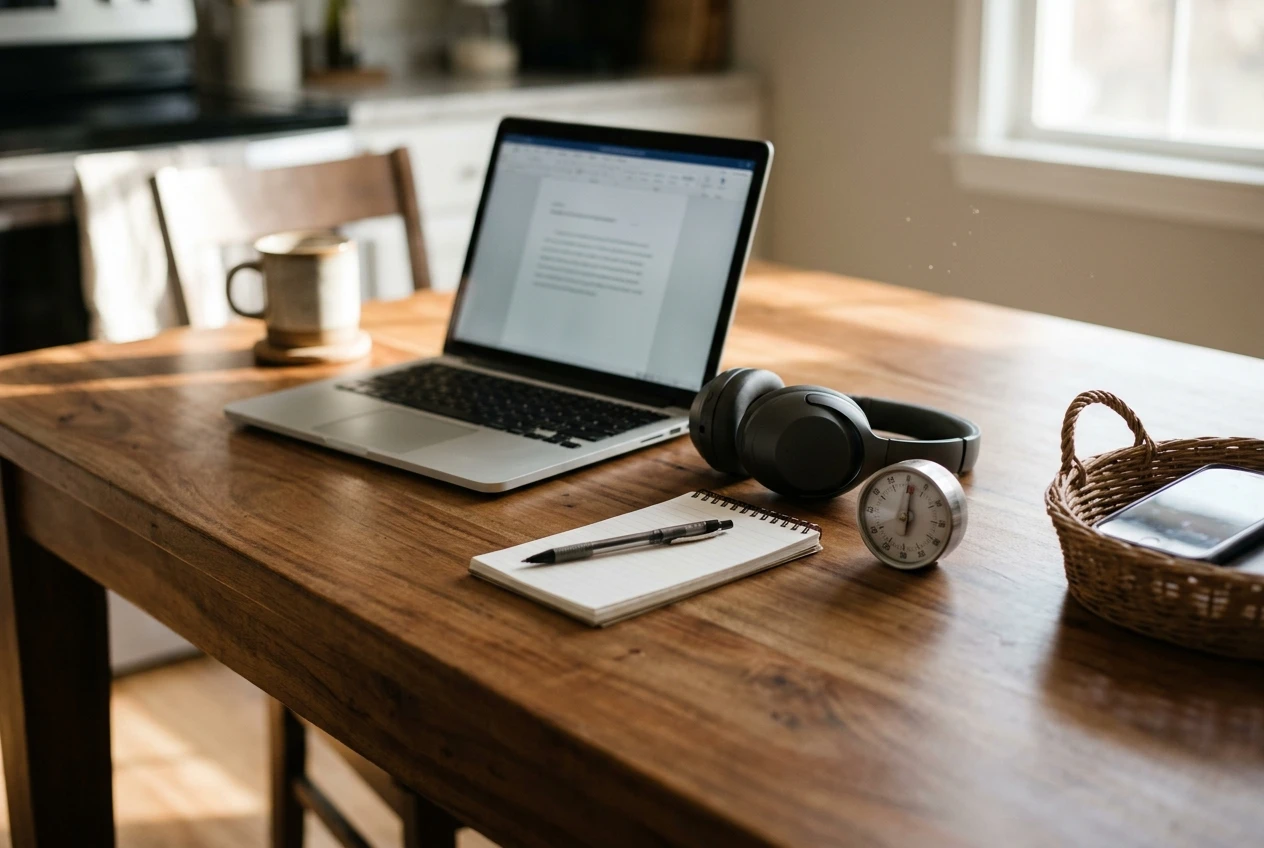
A paper notepad. Yes, paper. Keep it next to your laptop and, before you stop each session, write down the very next thing you’ll do. When you sit down again, you skip the “where was I?” stall. It costs almost nothing and it saves real minutes every single time.
A place for your phone that isn’t your hand. A drawer works. A basket across the room works. If you want to spend money, a small timed lock box does the same thing with more drama. Notifications are the cheapest way to lose a whole pocket of time, and they’re free, which is why they win so often.
The Chair and Desk Question (Your Back Called)
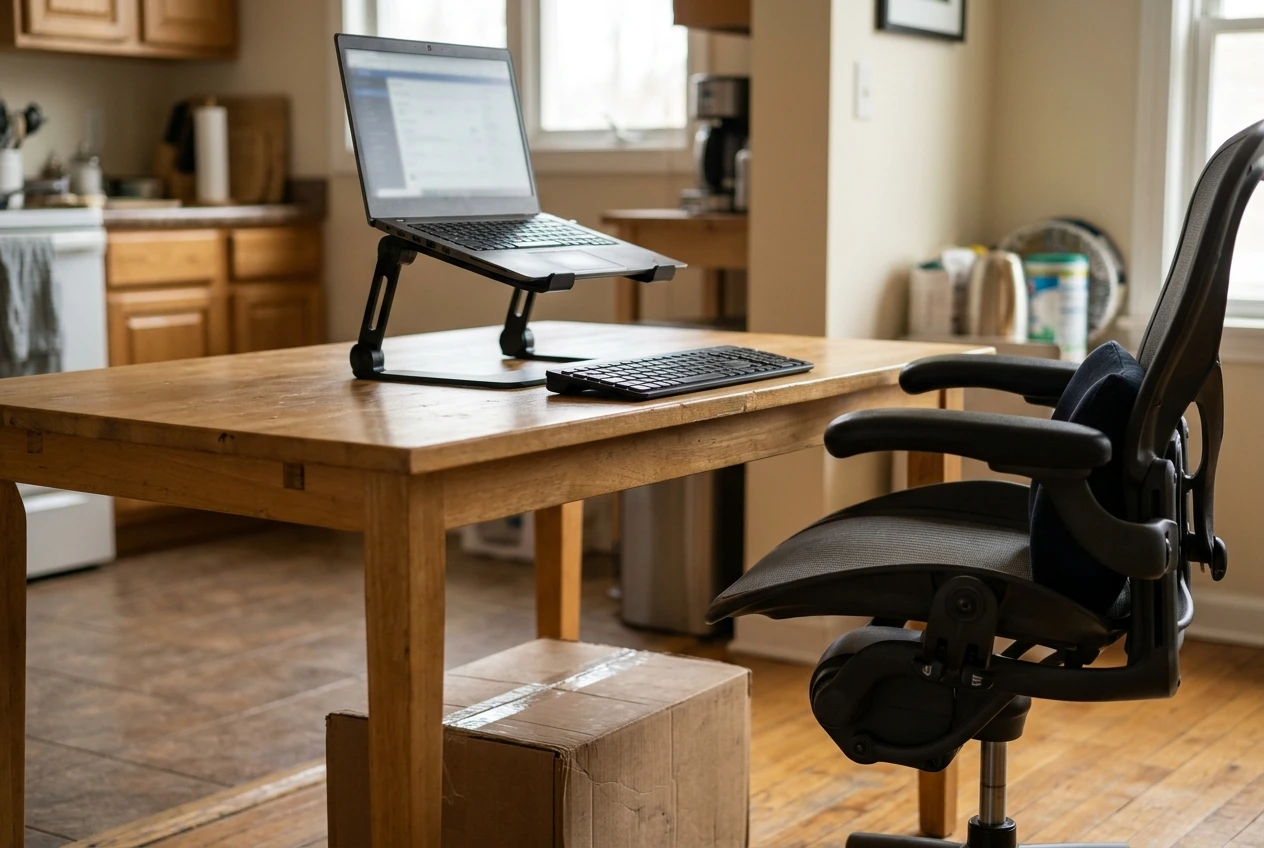
If you sit for hours, the chair is the one place a bigger spend makes sense. A dining chair is built for dinner, not for a three-hour work block, and your lower back will tell you about it eventually.
What to look for in a chair:
- A seat height you can adjust, so your feet rest flat on the floor
- Support for the curve of your lower back
- Armrests that let your shoulders relax instead of hunch
- A seat you can stand sitting on for a long stretch without going numb
You don’t need a designer ergonomic throne. You need a chair that adjusts to you instead of making you adjust to it. If a full chair isn’t in the budget, a lumbar cushion and a footrest (a sturdy box works) can improve a basic chair for a lot less.
The desk matters much less than people think. A kitchen table is fine. What matters is screen height. If you work on a laptop, the screen sits too low and you spend the day looking down. A laptop stand plus a separate keyboard fixes that, and it’s a cheaper upgrade than a new desk. Put the top of the screen near eye level and keep your elbows close to a right angle.
A standing desk is optional. If you already know you’d use it, great. If you’re buying it because a list said so, wait. And if you get persistent pain, talk to a health professional rather than a shopping list.
Software That Saves Minutes, Not Just Looks Busy
Apps are where many moms lose the time they were trying to save. Setting up a fancy system feels productive. Using it is a different matter. Pick a small set that does real work.
One task list. One. Not a planner, a sticky note, a notes app and a whiteboard all holding different pieces of your plan. Choose a single place where every task lives, and check only that place. Whatever you pick, make sure it works on your phone, since you’ll add tasks while waiting in the pickup line.
A calendar you actually block time on. Put your work pockets on the calendar like appointments: school hours, nap time, the after-bedtime window. Then put specific tasks inside them. “Work on stuff” is not a plan, and it’s how a whole session disappears into email.
A password manager. Logging in to things is a tiny tax you pay over and over. A password manager removes it and keeps your accounts safer at the same time. This is one of those boring tools that quietly gives you minutes back every day.
Text shortcuts and templates. If you type the same reply, the same intro or the same checklist more than a few times, save it once and reuse it. That covers email replies, social captions and client messages. It takes ten minutes to set up and repays you for months.
Voice notes. When your hands are full of toddler or dinner, speak the idea into your phone. Sort it out later, during a work pocket. Ideas don’t wait for convenient moments, and this keeps them from vanishing.
Cloud storage with auto-save. If a small hand closes your laptop or spills juice, you want your work somewhere else already. This is less a productivity tool than insurance, and it’s the one you’ll be glad of when something goes wrong.
Kid-Proofing the Workspace Without Losing Your Mind
You can’t fully child-proof a workspace in the middle of the house. You can make the common disasters less likely and the setup quicker to put away.
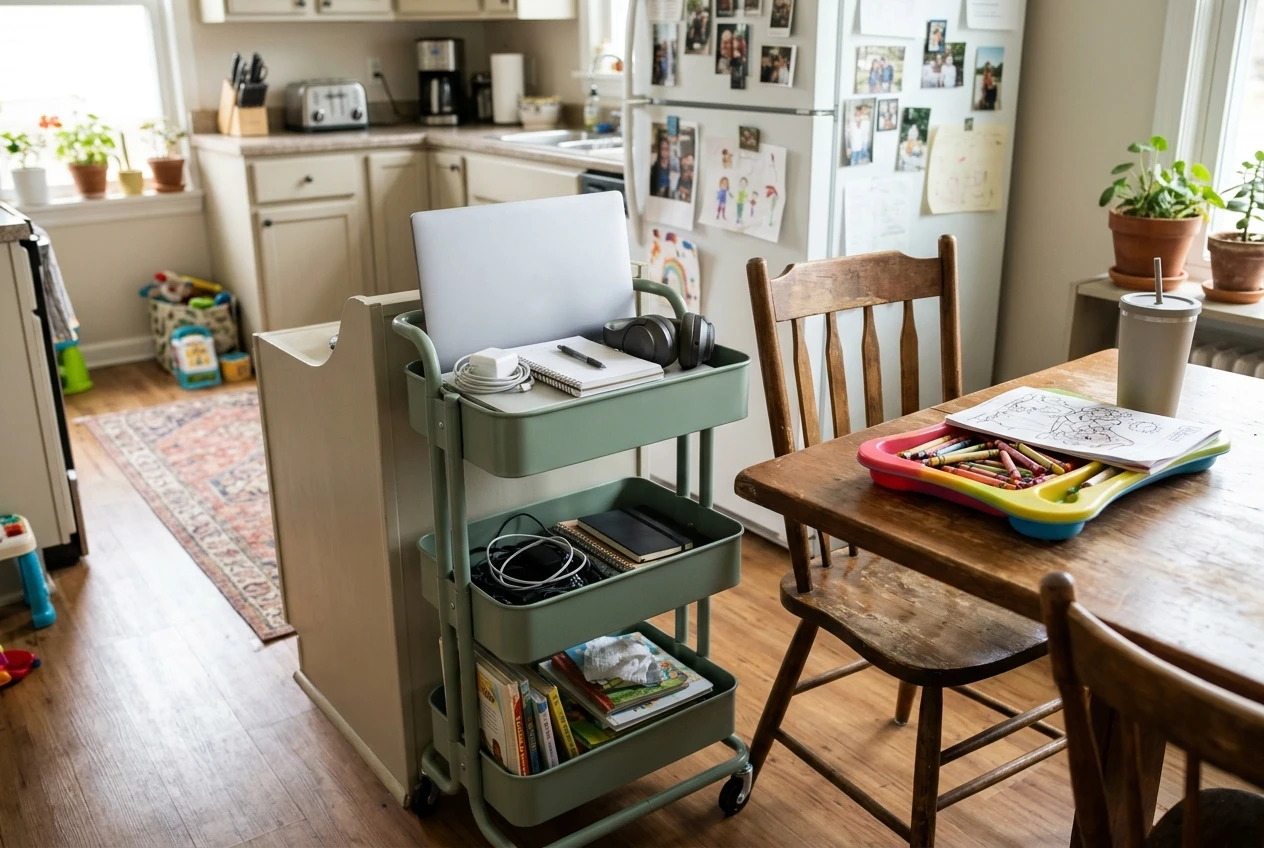
- Use a work basket or rolling cart. Everything you need goes in it: laptop, charger, notepad, headphones. Pull it out when your pocket starts, tuck it away when it ends. No more cables strung across the kitchen all day.
- Manage your cords. Dangling chargers are an invitation. Clips, a cable sleeve or just routing them behind furniture keeps them out of grabbing range.
- Keep drinks off the desk. Use a cup with a lid, and keep it away from the keyboard. Everyone in the family, you included.
- Set a screen lock. If your laptop locks when you step away, a curious kid can’t delete a client file or send half an email. Set it to lock quickly.
- Give kids their own spot next to yours. A small table or lap tray with their own supplies makes “working next to Mom” feel like a place they belong, not a place they’re stuck. If you need ideas for what goes there, the screen-free activities for kids while you work post has plenty.
- Keep a water bottle and a snack within their reach. Half of all interruptions are “I’m thirsty.” Take that one off your list ahead of time.
A cheap door hanger or a simple sign with a red side and a green side also works well for kids old enough to read or recognize colors. It’s not high tech. It just tells them clearly when they can come in.
The “Skip It” List: Gadgets That Mostly Collect Dust
Not everything on a home office list earns its desk space. These are the ones to question before buying:
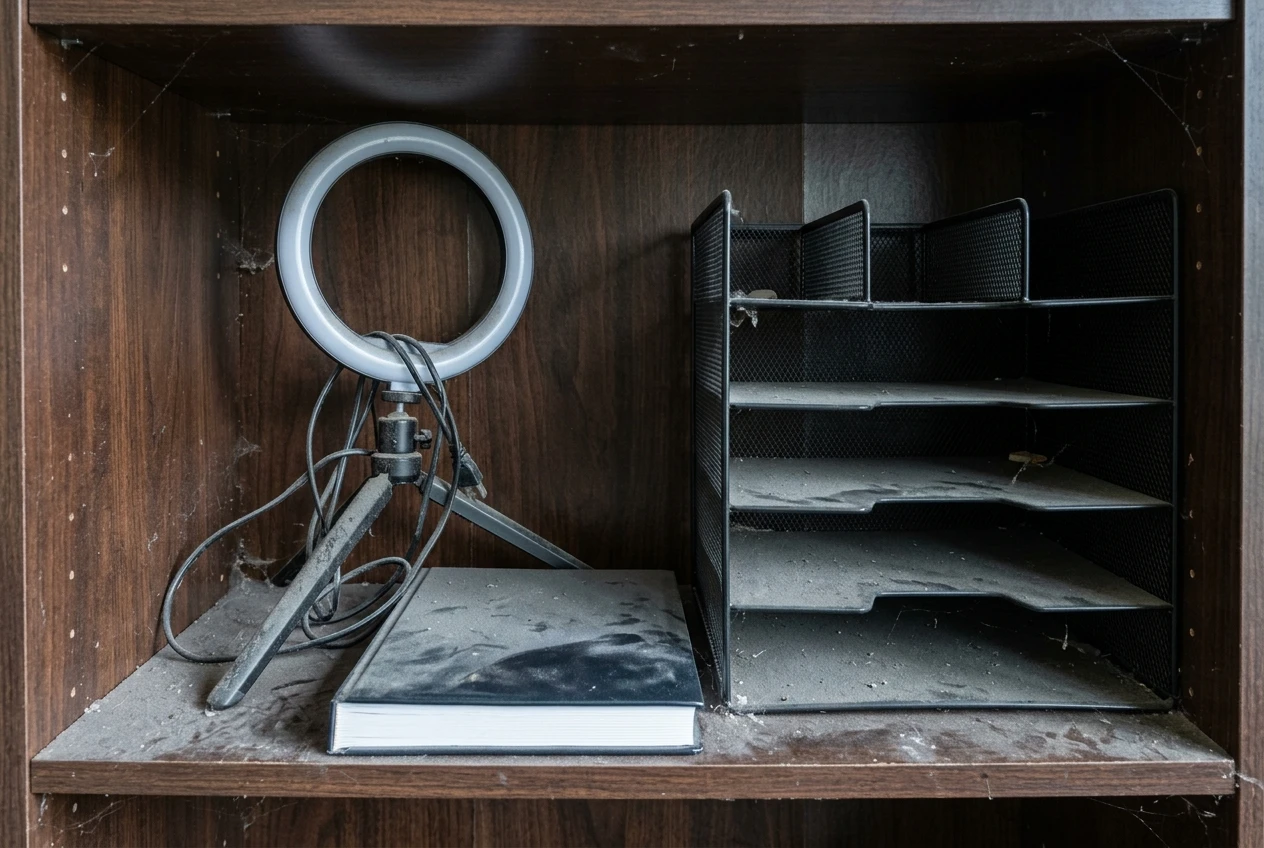
- A ring light. Great if you’re on video a lot. If you take two calls a month, a window and a lamp do the job.
- A second monitor. Useful for some kinds of work, but not for everyone. Try working without one first. If you keep wishing for more screen space, buy it then.
- Fancy planners. A beautiful planner you use for two weeks is a very expensive bookmark. Your calendar and one task list are enough.
- Huge desk organizers. More compartments means more things to organize. A small tray for pens and a basket for your cart is plenty.
- Gimmick gadgets. If a product promises to “transform your productivity” with one purchase, be suspicious. Productivity comes from habits, and a device can only support a habit you already have.
- Anything that needs its own app and account. Another login to manage is another thing in your head. If it adds a step to your day, it needs to earn it.
If you’re not sure about something, wait a week. If you still want it and can say what problem it fixes, buy it. If you’ve forgotten about it by Friday, you just saved some money.
Start With One: Your First Three Purchases
You don’t need the whole list. Start here, in this order:
- Headphones. They block noise and signal “work mode” at the same time. For most mompreneurs, nothing else improves a short work session as much.
- The chair or screen fix. If you sit for long stretches, upgrade your chair or add a laptop stand and keyboard. Pick whichever is causing you discomfort right now.
- A visual timer. It gives your sprints structure and gives your kids a clear answer to “how long?”
Everything else, from the password manager to the work cart, can wait until you feel the specific problem it solves. Free fixes come first: the notepad, the phone in a drawer, the calendar blocks. Spend money after those have shown you what’s still missing.
Links to tools I recommend are affiliate links, so I may earn a commission if you buy through them. I only point you to the few that earn their spot on your desk, and the rest of this list costs you nothing.
Once your setup is sorted, the next problem is usually the small person who walks in mid-sentence. For that, read From “Stop Bugging Me” to “I Hear You”, which covers how to handle kid interruptions.